> For the complete documentation index, see [llms.txt](https://docs.colt.net/llms.txt). Markdown versions of documentation pages are available by appending `.md` to page URLs; this page is available as [Markdown](https://docs.colt.net/portals/sd-wan-versa/getting-started/exploring-the-sd-wan-appliance.md).
# EXPLORING THE SD WAN APPLIANCE
You can view and get a vast amount of information about your appliances including a summary, the services on the appliance, and how they were configured at deployment.
### APPLIANCE SUMMARY
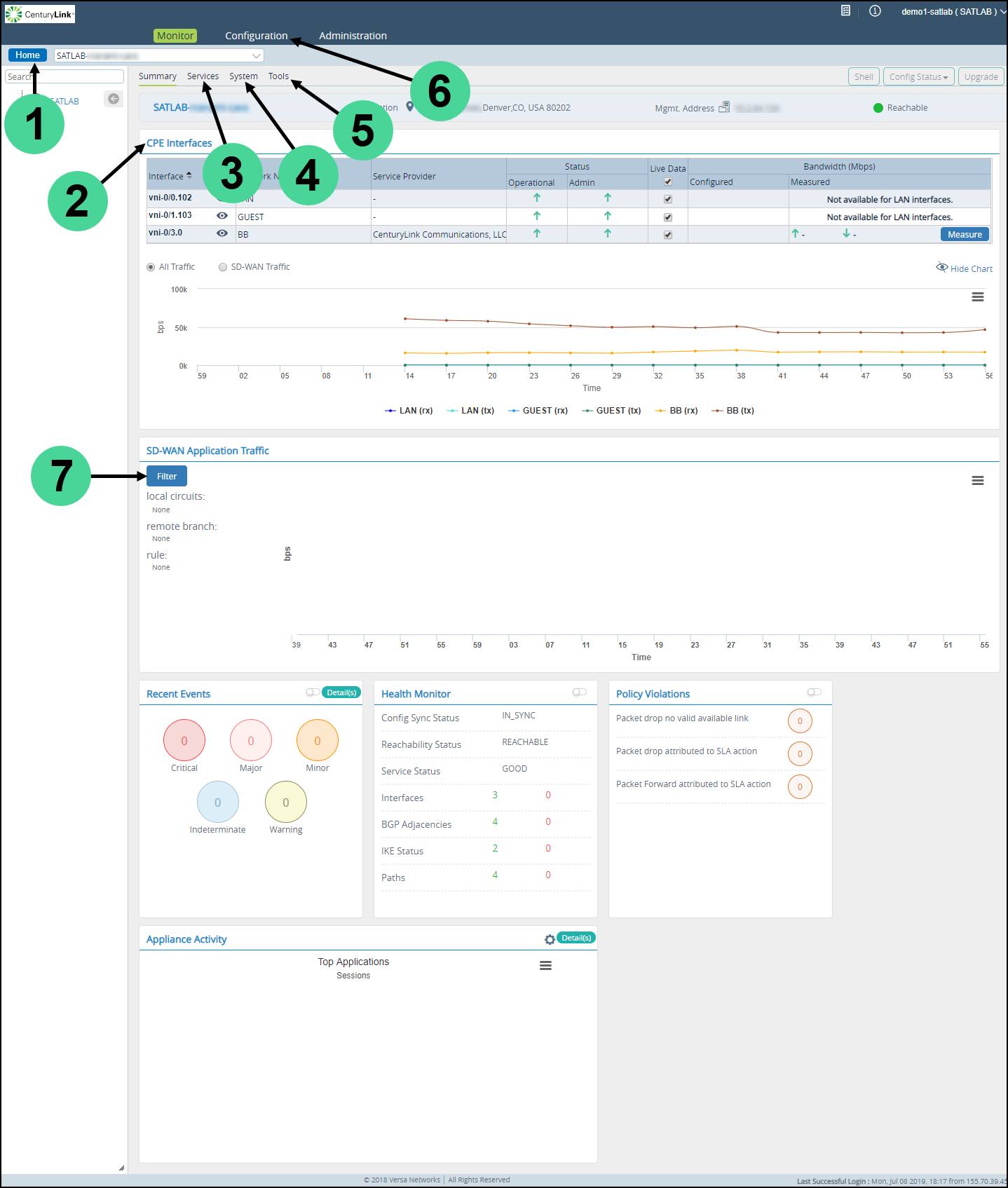
The appliance summary provides details about your appliance use, performance, and configuration.
Helpful links include:
1. Home—takes you back to the appliance list
2. CPE interfaces—shows realtime interface use, interface link status, realtime traffic, and circuit bandwidth
3. Services—view details on the operation of all the services on the appliance
4. System—shows appliance details
5. Tools—troubleshooting tools such as ping, traceroute, and packet capture
6. Configuration—shows the running configuration of the appliance
7. SD-WAN Application Traffic—shows SD WAN traffic per circuit by appliance or forwarding profile
### APPLIANCE SERVICES
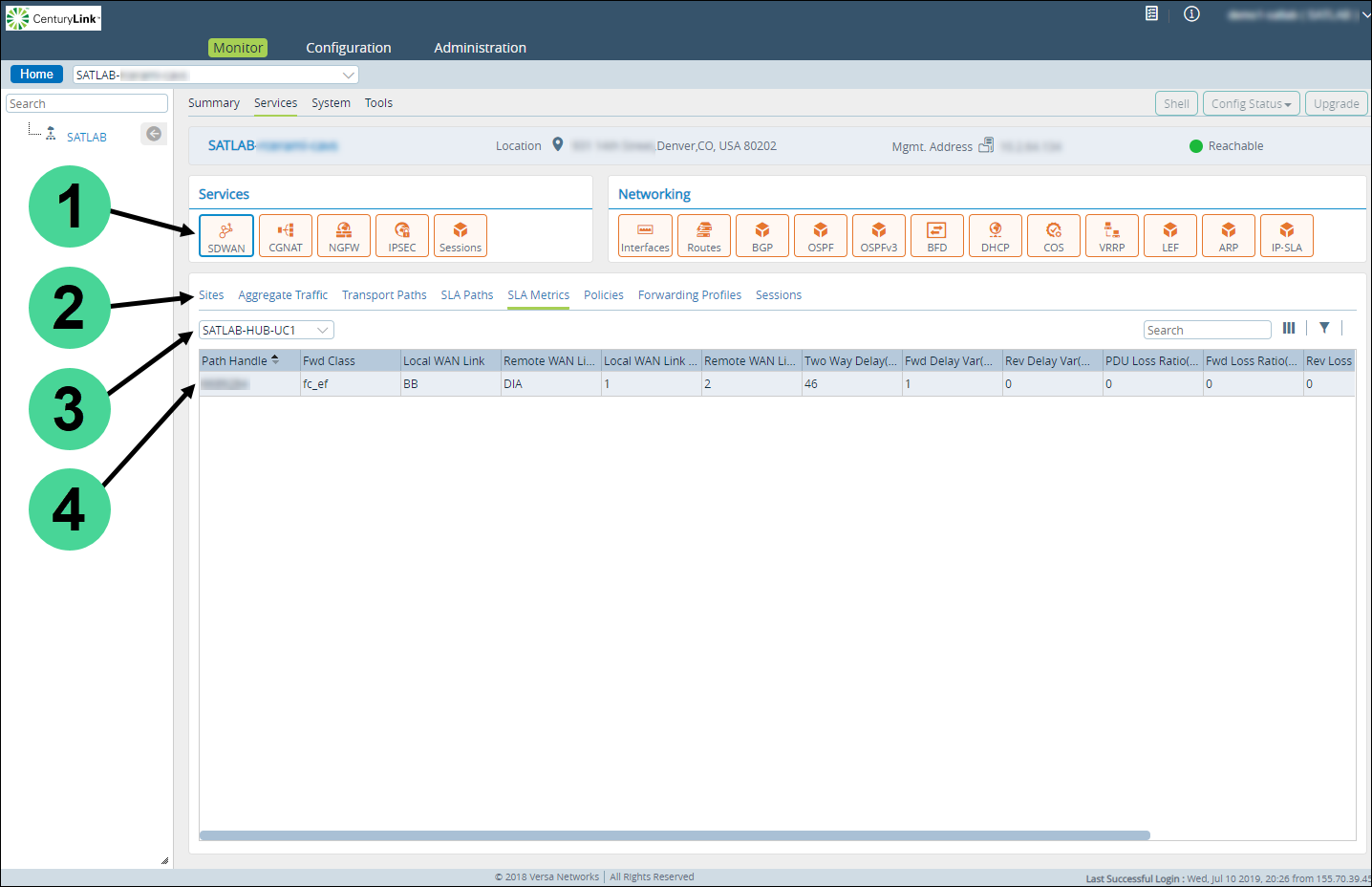
The appliance services provide realtime access to the status of all your services running on the appliance, which is helpful to locate problems.
1. Select the service or networking function you want details on.
2. Select the type of information you want to see on the service or network function.
3. Select any additional information required.
4. View the results.\
To view the configuration for the appliance, click the Configuration tab and follow the direction below.
### APPLIANCE CONFIGURATION
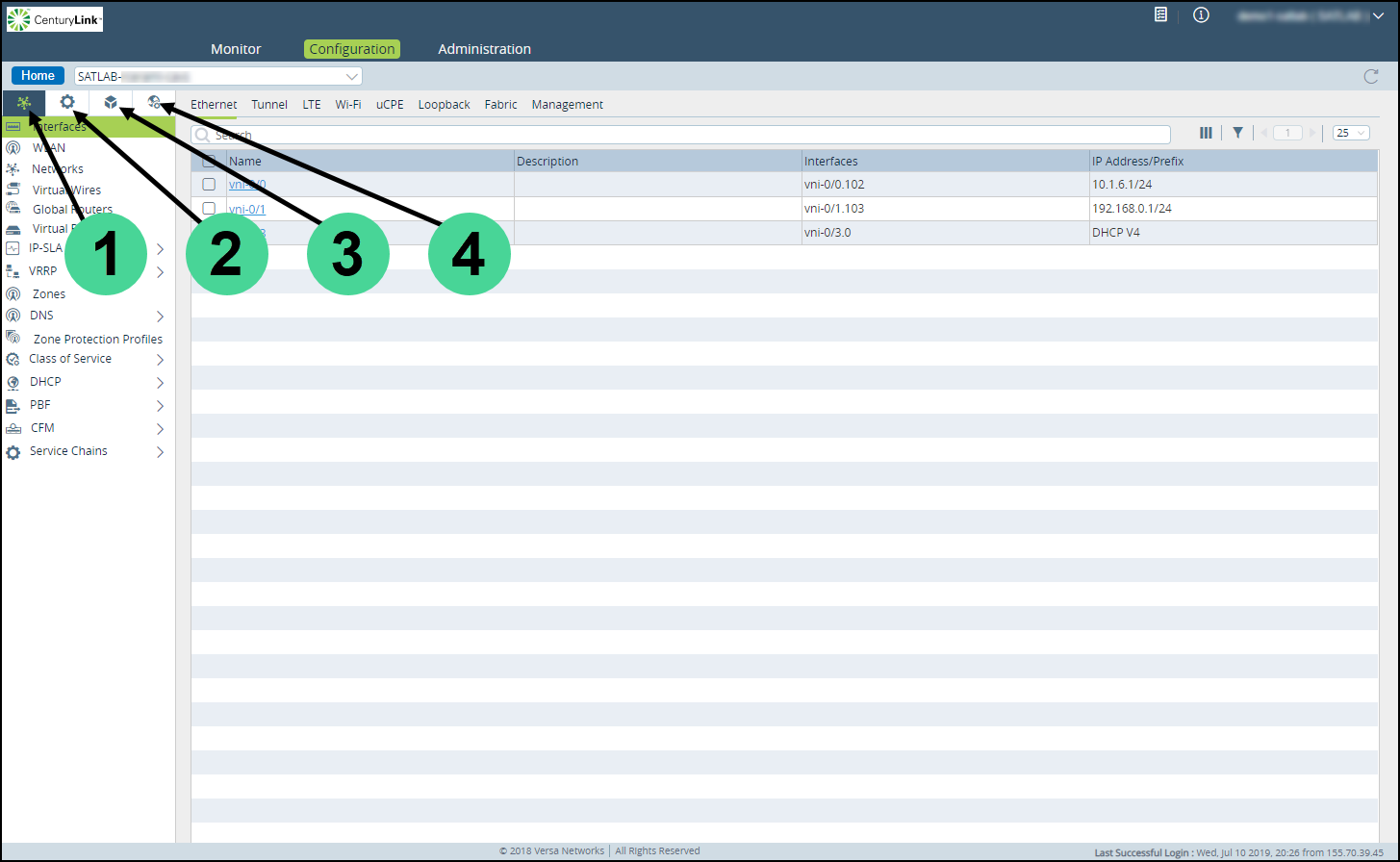
The appliance configuration shows the running configuration on the SD WAN appliance.
Changes can be made for troubleshooting purposes, but permanent changes should be made using the configuration templates.\
1. Network Settings—configuration for Interfaces, routing Instances, and QOS
2. Service Settings—configuration for NAT, firewall, and SD WAN path selection
3. Objects & Connectors—object definitions such as applications and external logging connectors
4. Other settings on the appliance
---
# Agent Instructions
This documentation is published with GitBook. GitBook is the documentation platform designed so that both humans and AI agents can read, navigate, and reason over technical content effectively. Learn more at gitbook.com.
## Querying This Documentation
If you need additional information that is not directly available in this page, you can query the documentation by asking a question.
Perform an HTTP GET request on the following URL with the `ask` and `goal` query parameters:
```
GET https://docs.colt.net/portals/sd-wan-versa/getting-started/exploring-the-sd-wan-appliance.md?ask=&goal=
```
`ask` is the immediate question: it should be specific, self-contained, and written in natural language.
`goal` is what the user is ultimately trying to achieve, the reason they need the answer. Sharing it helps GitBook give you a better, more relevant answer. A goal is most helpful when it describes the outcome the user wants rather than restating the question. For example, with `ask=how do I create an API token`, a goal like `automate deployments from our CI pipeline` lets GitBook tailor the answer to that use case.
The response will contain a direct answer to the question and relevant excerpts and sources from the documentation.
Use this mechanism when the answer is not explicitly present in the current page, you need clarification or additional context, or you want to retrieve related documentation sections.