> For the complete documentation index, see [llms.txt](https://docs.colt.net/llms.txt). Markdown versions of documentation pages are available by appending `.md` to page URLs; this page is available as [Markdown](https://docs.colt.net/on-demand/ja/on-demand-lso-portal/zhu-wen.md).
# 注文
## 見積を注文に変換する
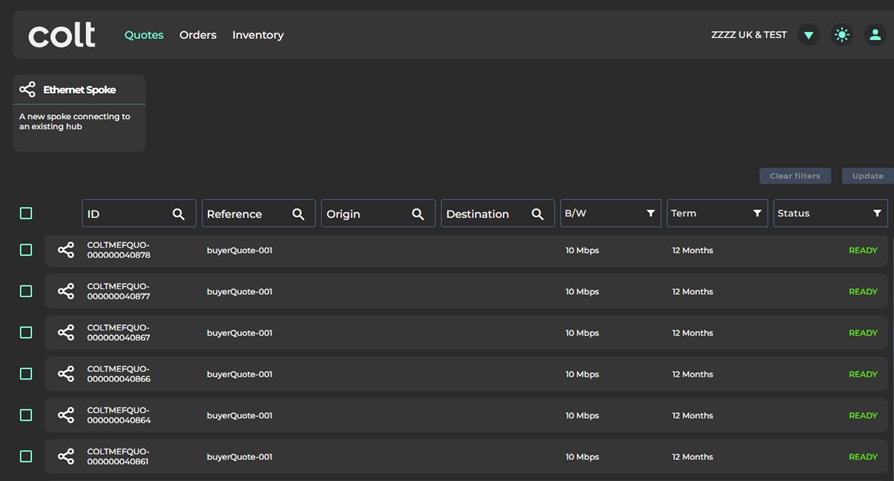
注文は有効な見積から生成されます。つまり、見積の状態が「準備完了」である必要があります。期限切れ(または失敗)の見積からは注文を生成できません。
注文を行うには、まずメインの一覧から該当する見積を選択し、 **見積** ページで、次の項目を選択します: **注文** オプション。
注:[注文]ページには配送キュー内の注文が表示され、新しい注文の生成には使用しないでください。
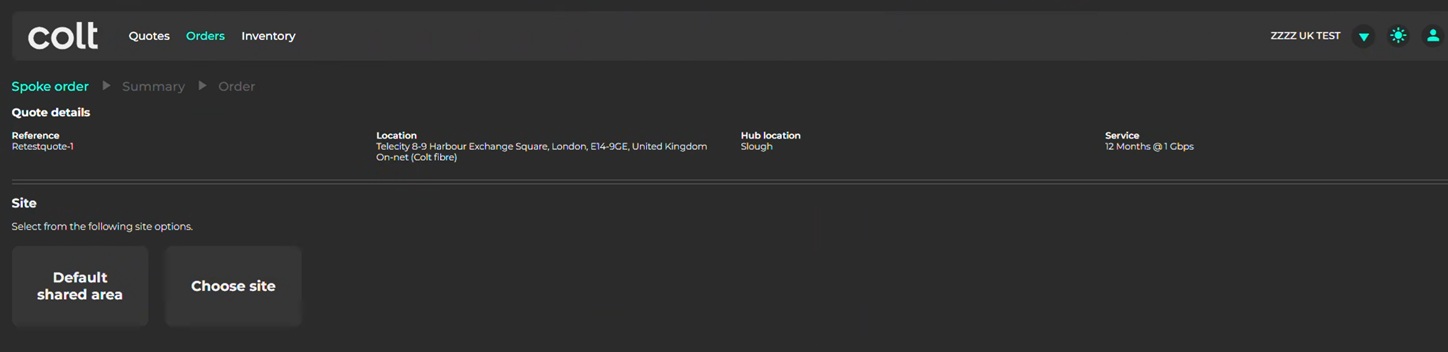
次に、 **サイト** をBエンドの顧客設置場所として選択します(Aエンドは既存のハブ設置場所です)。
データセンターの設置場所では、「**既定の共有エリア**」を選択します。
エンタープライズオフィスの設置場所では、「**サイトを選択**」オプションを選び、既存のPoPサイト(例:4階の通信室)を選択するか、新しいPoPサイトへの提供を依頼します。
次に、入力します **サイトの連絡先情報** を要求に従って(氏名、メールアドレス、電話番号)入力します。必要に応じて、現地連絡先と技術連絡先を別々に入力してください。
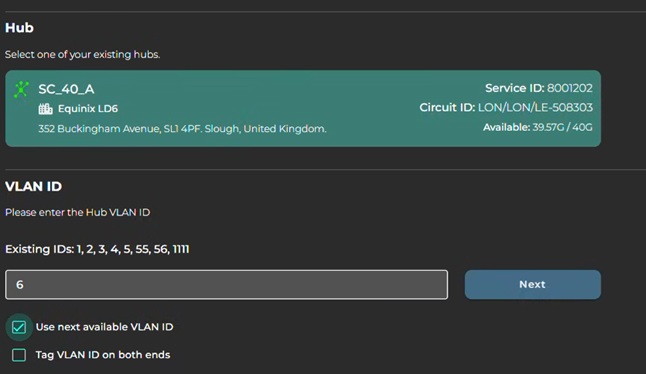
次に、 **ハブ** を割り当て、 **VLAN ID**.
見積に割り当てられたハブのメトロ地域内にあるハブのみが表示されることに注意してください。(たとえば、ハブの場所としてパリメトロが選択されている場合、パリにあるハブのみが表示されます)。
「**次に利用可能なVLANを使用**」オプションは、非オンデマンド回線がハブに接続されている場合は推奨されません。
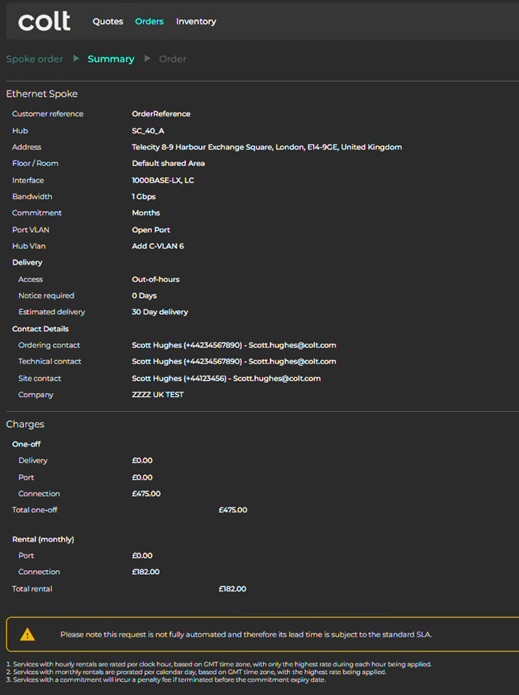
最後に、参照情報を入力し、「**概要**」オプションを選択して内容を確認し、注文を確定します。
---
# Agent Instructions
This documentation is published with GitBook. GitBook is the documentation platform designed so that both humans and AI agents can read, navigate, and reason over technical content effectively. Learn more at gitbook.com.
## Querying This Documentation
If you need additional information that is not directly available in this page, you can query the documentation by asking a question.
Perform an HTTP GET request on the following URL with the `ask` and `goal` query parameters:
```
GET https://docs.colt.net/on-demand/ja/on-demand-lso-portal/zhu-wen.md?ask=&goal=
```
`ask` is the immediate question: it should be specific, self-contained, and written in natural language.
`goal` is what the user is ultimately trying to achieve, the reason they need the answer. Sharing it helps GitBook give you a better, more relevant answer. A goal is most helpful when it describes the outcome the user wants rather than restating the question. For example, with `ask=how do I create an API token`, a goal like `automate deployments from our CI pipeline` lets GitBook tailor the answer to that use case.
The response will contain a direct answer to the question and relevant excerpts and sources from the documentation.
Use this mechanism when the answer is not explicitly present in the current page, you need clarification or additional context, or you want to retrieve related documentation sections.